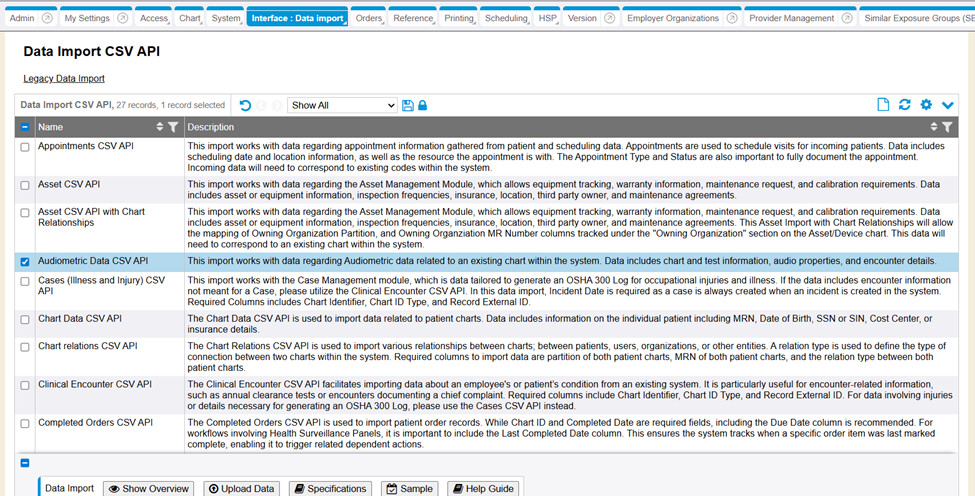
The Data Import page has been redesigned into a datavis with function buttons, to enhance user experience and usability. However, the Legacy Data Import screen is still accessible on the page for use.
Within the redesigned Data Import page, a specific data import api tool is able to be selected (checkmark) and then displays individual buttons for the user to access/see/obtain information for an Overview, Specifications information, Sample file information, Help Guide, and the Upload Data screen for the specific Data Import API selected.
In a new system or upon upgrade, the updated Data Import datavis page may not work unless you set ‘ csv_api_data_import’ JSON model_security on applicable security roles needing access.

Security permission to Allow .csv Data Import on a security role must also be Yes to access the Data Import tool (legacy or new datavis look).

- RC: 202503 and newer
- Documentation: Data Import Tab & Data Import Master List & Data Import Tab