Dictation and Whisper AI
Dictation is an out-of-the-box offering. When dictation is recorded in the encounter exam, the audio file can be uploaded and manually transcribed by another user, either directly in an encounter or from the Dictation Module (side menu module).
Whisper AI is a feature available when AI has been configured in the database. Whisper AI will transcribe the voice dictation, as well as record the voice file for playback.
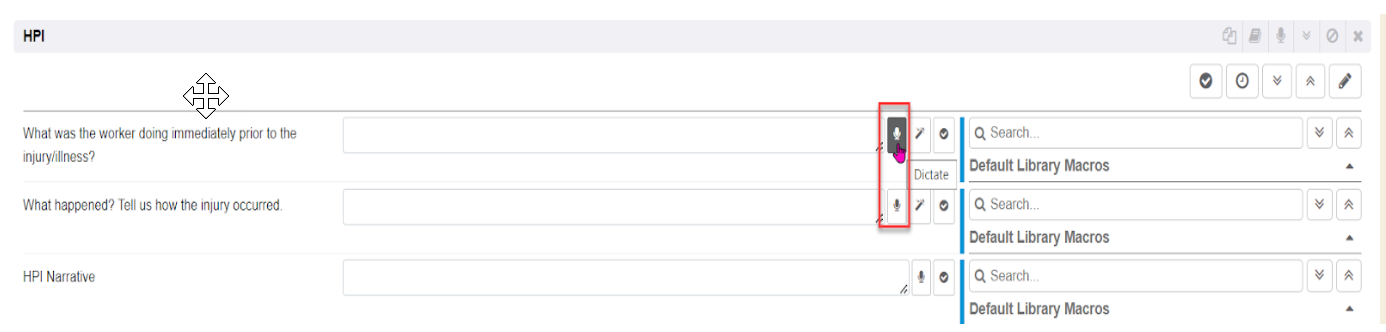
Click the Dictation “microphone” icon
The dictation will automatically begin recording.
The Red Square indicates the dictation is being recorded. Additionally, the dictation timer will begin counting. Click the Red Square to stop or pause recording.

The Red Square will change to a Red Circle, also note the time will set back to 00:00.

If you wish to add more dictation to the observation, click the Red Circle to add more. The Red Circle will change back to the Red Square to let you know it is recording. Note the timer picks up where it was before stopping/pausing the recording earlier and continues counting.

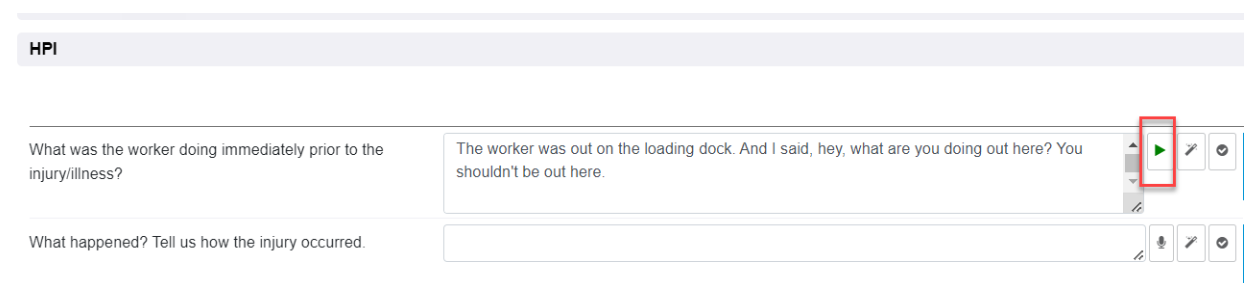
Click the Upload Dictation “green up arrow” icon, to upload the dictation. IF Whisper AI is enabled, the text will populate in the observation entry field. To hear the audio recording, click the Green “Play” icon.
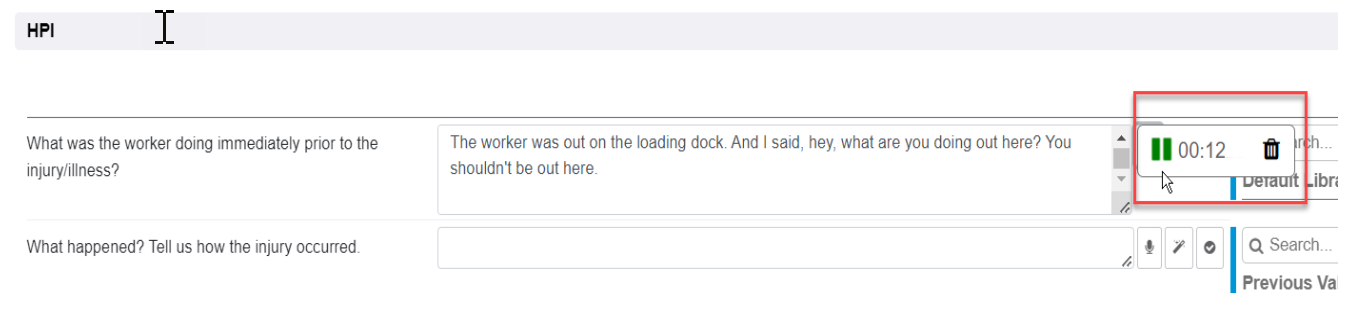
When the audio file is played, the user will see the green “pause” icon to pause the audio playback, the dictation timer and a delete icon.
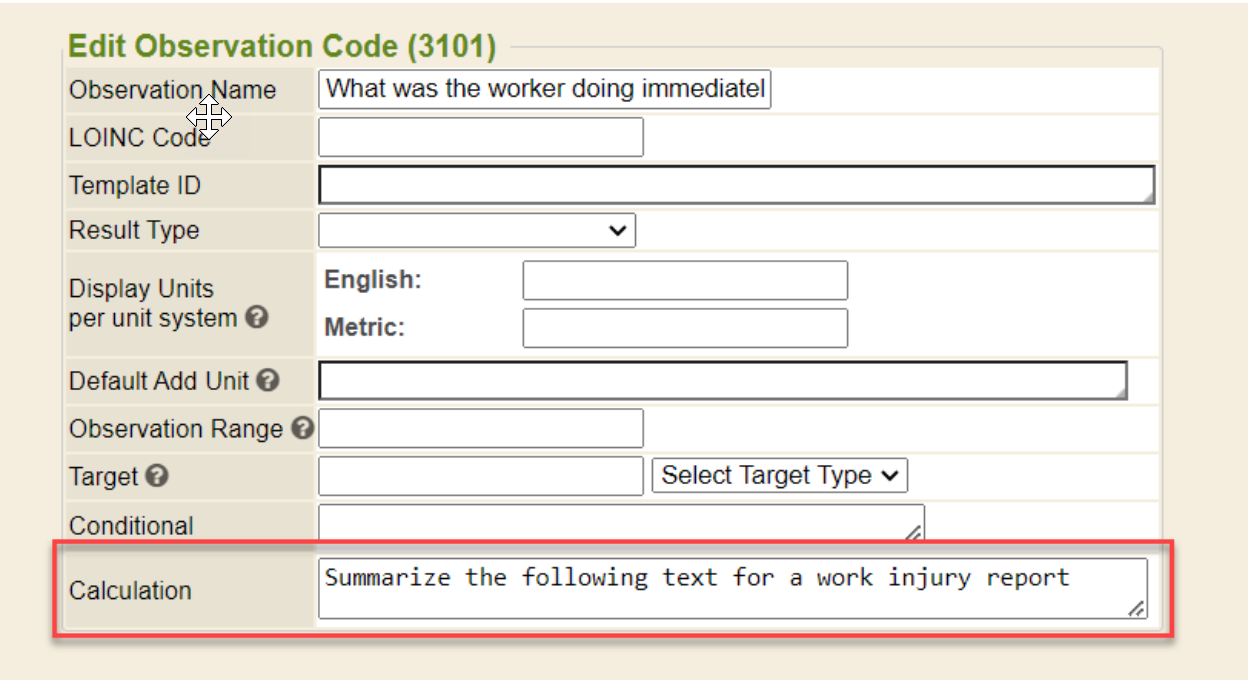
Configure an observation for “AI Summarize”
Per Corne: “Right now, you configure the observation code. If the calculation field has text it will use that to summarize the observation. We have plans to improve things around that but nothing written down”
Add the calculation Text on the observation.
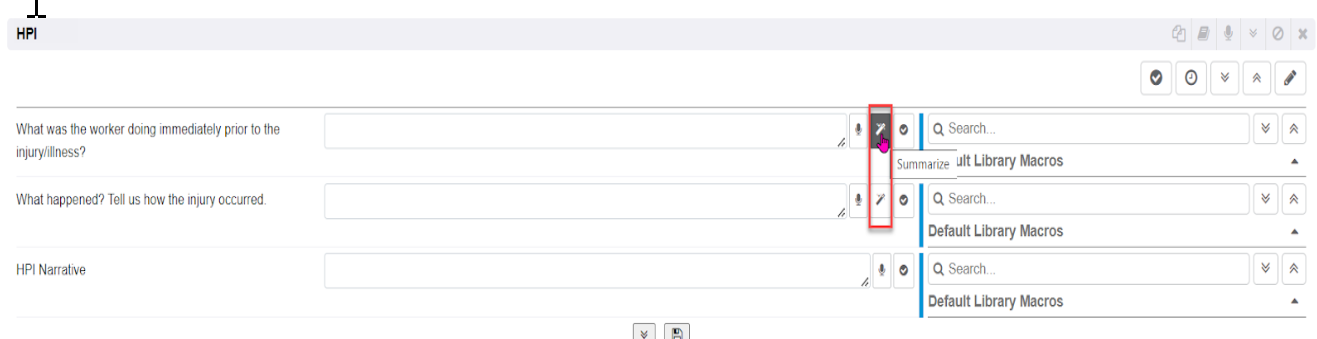
The Summarize “magic wand” icon will display on each observation, regardless of what flowsheet it is associated with. If there isn’t a calculation, the Summarize “magic wand” icon does not display.
Editing AI translated dictation
As of 202309 and newer, AI-translated dictation within encounter sections is now editable whether the encounter section is opened or closed.