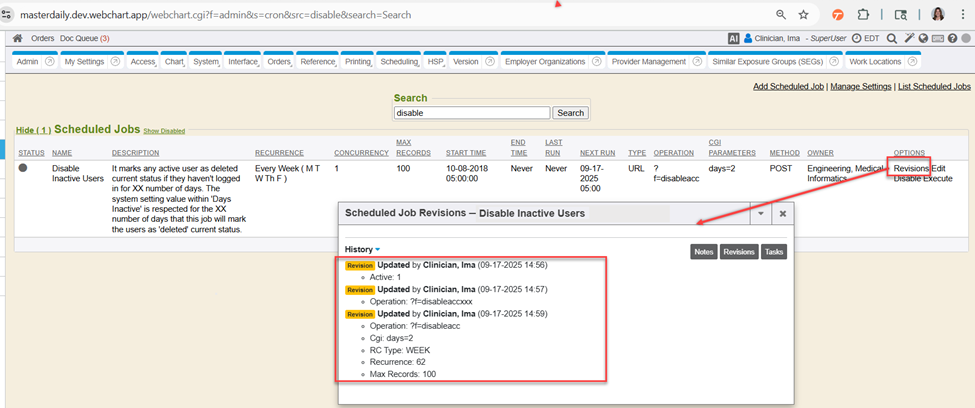
Within the listing of scheduled jobs (whether active or inactive), is an option to view Revisions.

When looking at the Revisions of a scheduled job (in a pop-up window), each revision is listed with whom (user) made a change to the scheduled job, including a date/time stamp of that revision, and which field(s) were revised, and the field(s) that were revised, show what the value or data was entered in by that user for the saved revision. Revisions gives a chronological history of revisions to the scheduled job that was selected for view. Newest revisions would be at the bottom of the pop-up window and oldest revisions at the top.
- RC: 202509 and newer
- Documentation: Enabled & Disabled Scheduled Jobs