Any active scheduled job with a specific number in the Max Records field of the scheduled job, will terminate the scheduled job once/if the max number of records is hit during that scheduled job. The Max Records field sets a threshold for the number of records processed before requiring approval to continue to execute the scheduled job. The execution of the scheduled job is blocked when the max records count exceeds the row count the scheduled job finds to execute on. Set the Max Records field to zero 0 for no limit.
Using Max Records functionality may be helpful for email scheduled jobs. Where a system admin wants to receive a warning and approve all scheduled jobs that will be triggered if the number of email recipients exceeds a specified threshold (X) max records. This would ensure proper oversight of communications and prevent unauthorized or accidental dissemination of information.
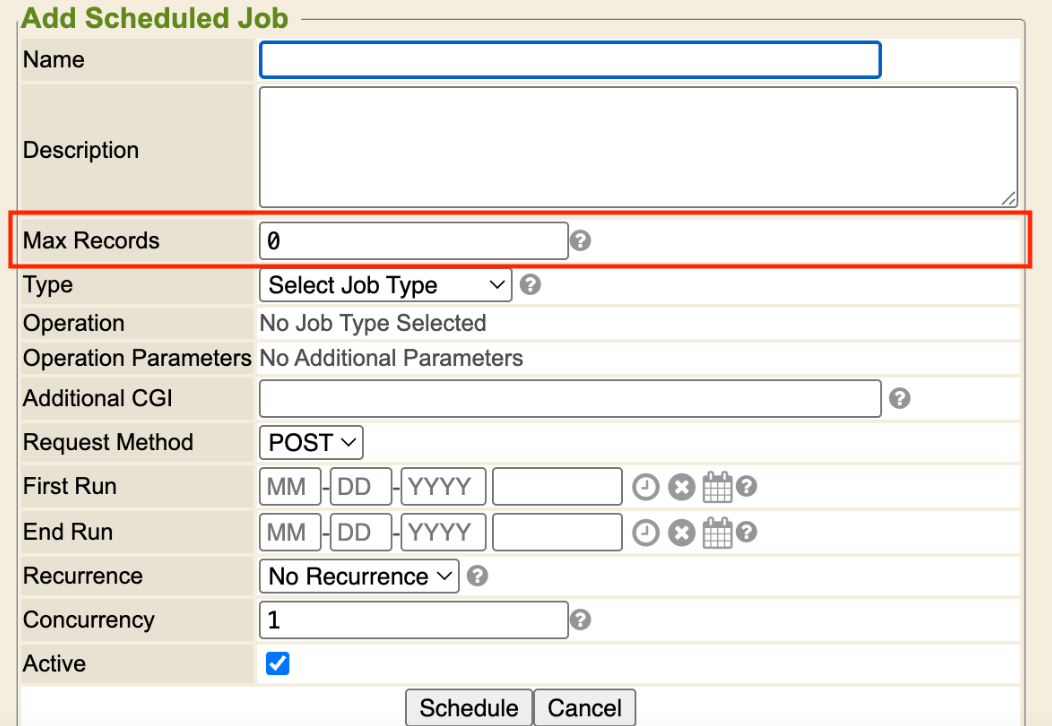
The notification of the blocked scheduled job(s) being executed will be sent to the email address that is configured in the system setting System / Cron / Email Failures To.
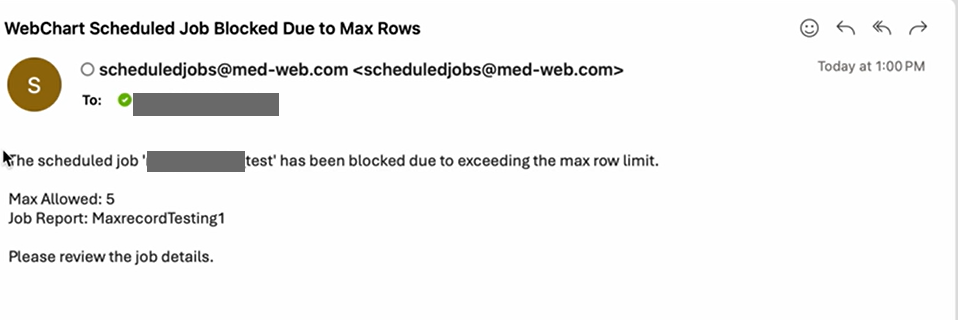
The “approval” process refers to stopping the execution of scheduled jobs that exceed the configured max records value threshold. The email notification is sent to the designated administrator (the email set in the system setting “Email Failures To”) explaining that the job was stopped due to exceeding the allowed recipient count.
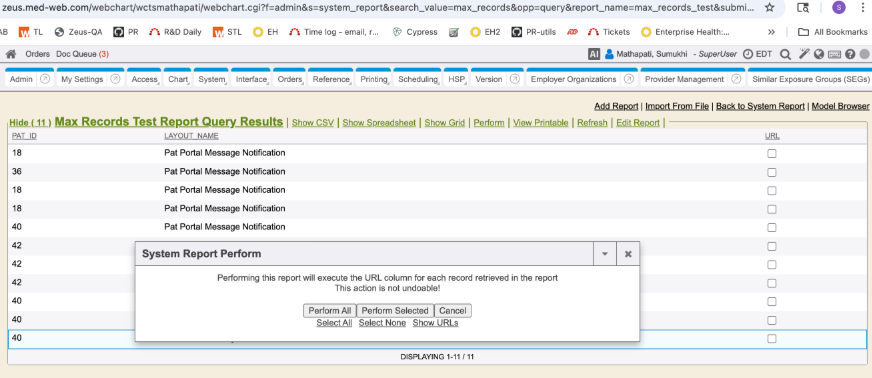
A system admin can then manually run the associated system report, review and decide whether to proceed with performing it (Perform All button). This manual execution serves as the approval step. The other method is to simply remove the Max Records value from the scheduled job itself and manually execute the scheduled job to run, and after it has run entirely, the system admin can place back the Max Records value to take effect in the next run.
- RC: 202509 and newer
- Documentation: Enabled & Disabled Scheduled Jobs