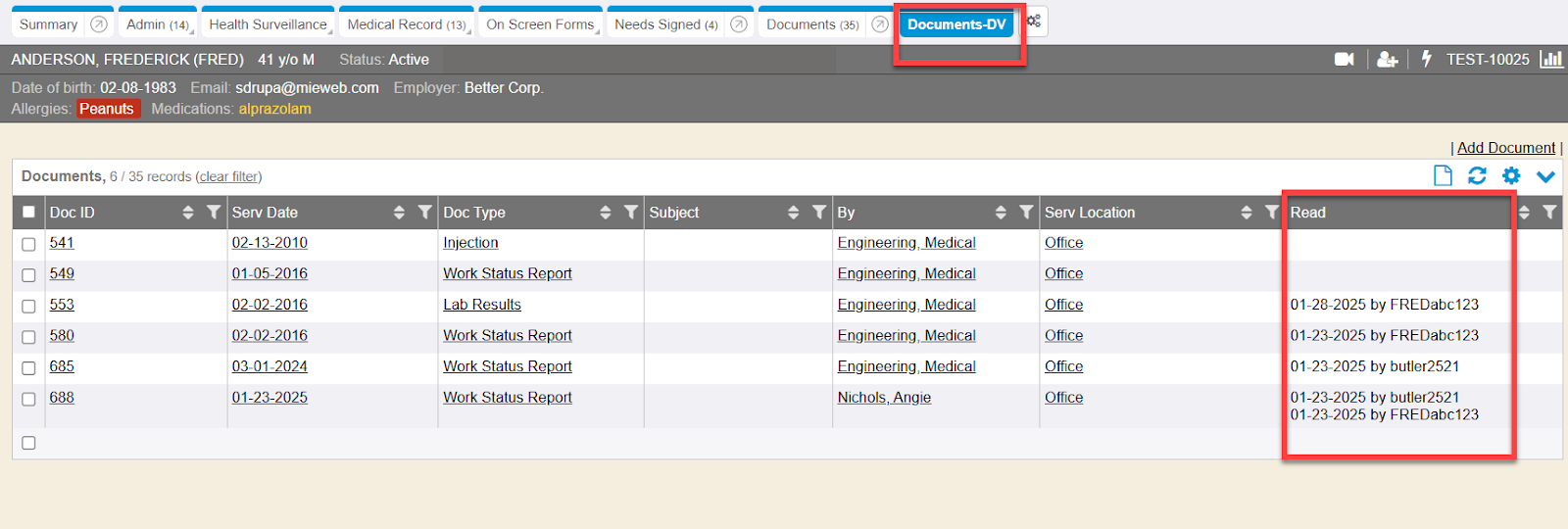
Within the Documents-DV chart tab, there is a new column ‘Read’. This will display the date stamp and username of the portal user who has read the shared document from their portal. The ‘Read’ column also supports displaying the date stamp and username of any supervisor who has read the shared document from the supervisor portal.
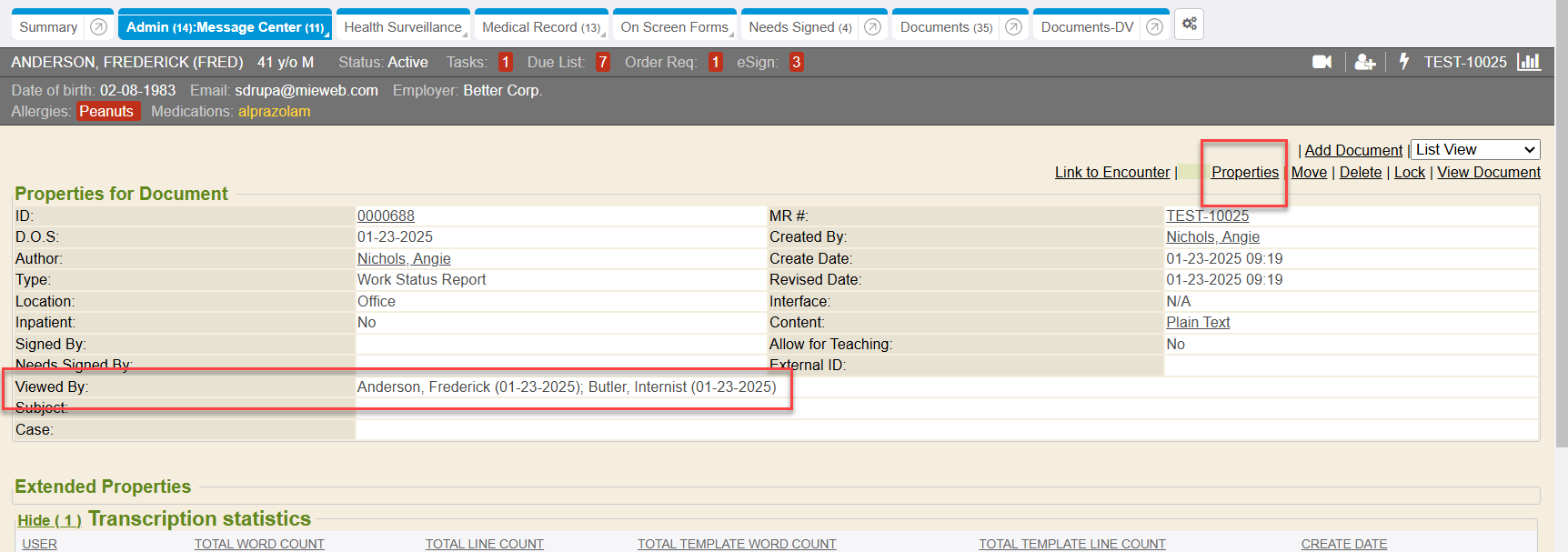
The properties of a document also displays a line of who has viewed it.
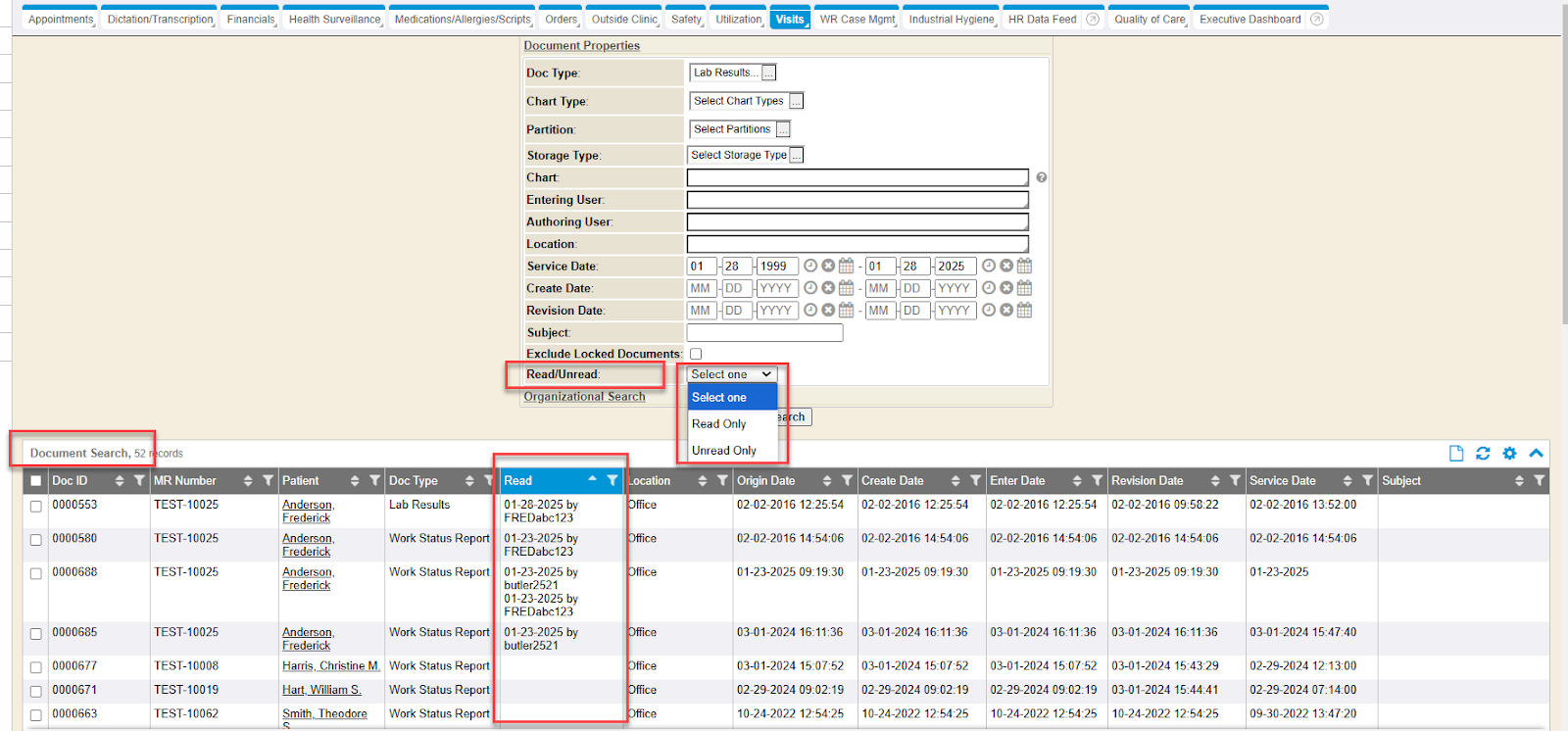
The Documents Search report has been updated to introduce a new ‘Read/Unread’ filter criteria field. The report’s datavis output has also been updated to include a new ‘Read’ column. This will display the date stamp and username of the portal user who has read the shared document from their portal. The ‘Read’ column also supports displaying the date stamp and username of any supervisor who has read the shared document from the supervisor portal.
LMS Course: Chapter named Read vs Unread Documents Shared to Portal added to courses: 100.G Documents Tab; 201.Ac Patient Portal Sending Documents On Demand; 201.A Patient Portal
RC: 202503 and newer